How to Add Cloudflare Turnstile CAPTCHA Verification to a React Form inside Astro Framework
A step-by-step guide on integrating Cloudflare Turnstile CAPTCHA into a React form within an Astro project to enhance security and prevent spam submissions.
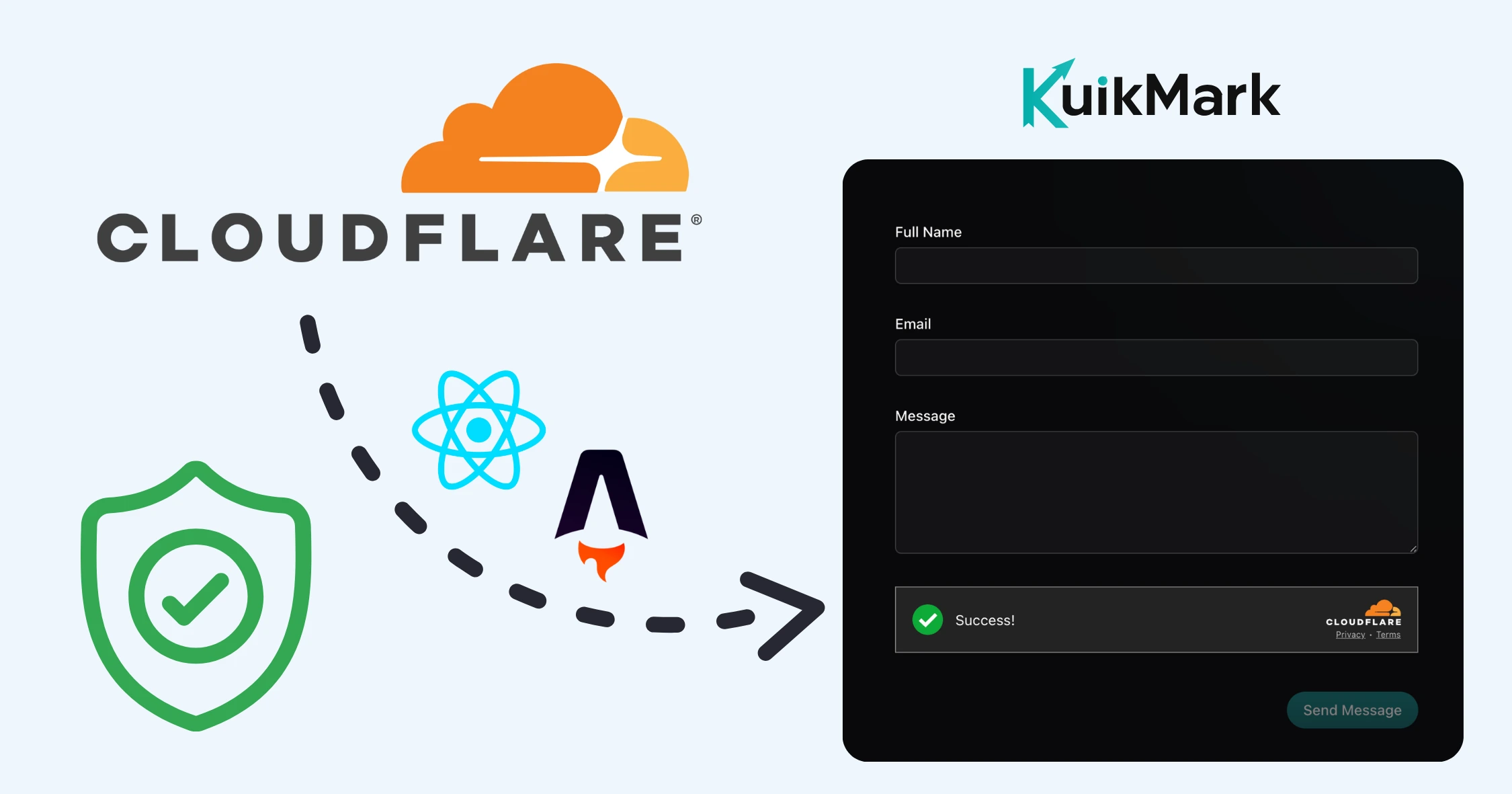
While working on a recent product launch (Kuikmark), I needed a way to protect our contact form from spam submissions without compromising user experience or privacy. After evaluating several CAPTCHA solutions, I decided to implement Cloudflare Turnstile due to its seamless integration, privacy-first approach, and ease of use.
If you’re building forms in your Astro project using React components, adding Cloudflare Turnstile is a great way to protect your form from spam while keeping user experience smooth and privacy-friendly.
In this guide, you’ll learn step-by-step how to integrate Cloudflare Turnstile CAPTCHA verification into a React form running inside an Astro app — from widget setup to backend validation.
Real-world example: This is the exact setup we shipped for KuikMark — our tool to organize, search, and share links faster.
Prerequisites
Before we begin, make sure you have:
- An Astro project set up with React integration
- A Cloudflare account (free tier works fine)
- Basic knowledge of React hooks and TypeScript
- An email service (we’ll use Resend in this example)
Dependencies you’ll need:
npm install @hookform/resolvers zod react-hook-formNote: We use this same stack in KuikMark to protect our contact form without hurting UX.
Part 1: Cloudflare Setup
Step 1.1 — Create a Cloudflare Turnstile Widget
- Navigate to your Cloudflare Dashboard → Turnstile
- Click “Add Widget”
- Configure your widget:
- Widget name: e.g.,
Astro Contact Form - Hostname management: Add your domain(s) (e.g.,
localhost,yourdomain.com) - Widget mode: Choose between:
Managed— Shows a checkbox (recommended for first-time setup)Non-Interactive— Runs in the backgroundInvisible— No user interaction required
- Widget name: e.g.,
- (Optional) Enable Pre-clearance support for Single Page Applications
- Click Create
- Important: Copy and save:
- Site Key (will be public)
- Secret Key (keep this private!)
Step 1.2 — Configure Environment Variables
Create or update your .env file in the project root:
# Public key - accessible to frontend
PUBLIC_CLOUDFLARE_TURNSTILE_SITE_KEY="your-site-key-from-cloudflare-dashboard"

# Secret key - server-side only
CLOUDFLARE_TURNSTILE_SECRET_KEY="your-secret-key-from-cloudflare-dashboard"
⚠️ Security Note: The
PUBLIC_prefix makes the site key available to client-side code. The secret key (without prefix) stays private on the server.
Part 2: Frontend Implementation
Step 2.1 — Understanding the Component Structure
Our contact form will have:
- Form validation using Zod schema
- React Hook Form for form state management
- Turnstile widget for CAPTCHA verification
- Success/Error handling with visual feedback
Step 2.2 — Create the Contact Form Component
Create the file: src/components/contact/contact-form.tsx
// filepath: src/components/contact/contact-form.tsx
'use client';

import { zodResolver } from '@hookform/resolvers/zod';
import { z } from 'zod';
import { useForm } from 'react-hook-form';
import { useEffect, useState } from 'react';
import { CheckCircle } from 'lucide-react';
import { actions } from 'astro:actions';
import { Button } from '@/components/ui/button';
import {
  Form,
  FormControl,
  FormField,
  FormItem,
  FormLabel,
  FormMessage,
} from '@/components/ui/form';
import { Input } from '../ui/input';
import { Textarea } from '../ui/textarea';

// ============================================
// TypeScript Type Declarations
// ============================================

/**
 * Extend the Window interface to include Turnstile methods
 * This provides type safety when interacting with the Turnstile SDK
 */
declare global {
  interface Window {
    turnstile?: {
      reset: () => void;
      render: (
        element: string | HTMLElement,
        options: {
          sitekey: string;
          theme?: string;
          size?: string;
          callback?: (token: string) => void;
          'error-callback'?: () => void;
          'expired-callback'?: () => void;
        }
      ) => void;
    };
    onTurnstileCallback?: (token: string) => void;
  }
}

// ============================================
// Main Component
// ============================================

export function ContactForm() {
  // --------------------------------------------
  // State Management
  // --------------------------------------------

  const [isSubmitting, setIsSubmitting] = useState(false);
  const [isSubmitted, setIsSubmitted] = useState(false);
  const [turnstileToken, setTurnstileToken] = useState<string | null>(null);

  // --------------------------------------------
  // Form Schema & Validation
  // --------------------------------------------

  /**
   * Zod schema defines validation rules for each form field
   * - fullName: minimum 2 characters
   * - email: must be valid email format
   * - message: minimum 4 characters
   */
  const formSchema = z.object({
    fullName: z.string().min(2, { message: 'Full name must be at least 2 characters.' }),
    email: z.string().email({ message: 'Please enter a valid email.' }),
    message: z.string().min(4, { message: 'Message is required.' }),
  });

  // Initialize React Hook Form with Zod resolver
  const form = useForm<z.infer<typeof formSchema>>({
    resolver: zodResolver(formSchema),
    defaultValues: {
      fullName: '',
      email: '',
      message: '',
    },
  });

  // --------------------------------------------
  // Form Handlers
  // --------------------------------------------

  /**
   * Main form submission handler
   * Validates Turnstile token, sends data to backend, and handles response
   */
  async function onSubmit(values: z.infer<typeof formSchema>) {
    // Verify that Turnstile token exists before submission
    if (!turnstileToken) {
      alert('Please complete the security verification.');
      return;
    }

    /**
     * Helper function to reset Turnstile widget
     * Call this after each submission attempt (success or failure)
     */
    const resetTurnstile = () => {
      if (window.turnstile) {
        window.turnstile.reset();
      }
      setTurnstileToken(null);
    };

    setIsSubmitting(true);

    try {
      // Send form data along with Turnstile token to Astro backend
      const { data } = await actions.contactUs.sendEmail({
        ...values,
        turnstileToken,
      });

      if (data?.success) {
        // Show success message
        setIsSubmitted(true);
        form.reset();

        // Auto-hide success message after 3 seconds
        setTimeout(() => setIsSubmitted(false), 3000);
      } else {
        alert(data?.message || 'Something went wrong!');
      }
    } catch (err) {
      alert('Email failed. Please try again.');
    } finally {
      setIsSubmitting(false);
      resetTurnstile(); // Always reset Turnstile after submission
    }
  }

  /**
   * Reset form to initial state
   */
  async function handleCancel() {
    form.reset();
  }

  // --------------------------------------------
  // Turnstile Script Loading (useEffect)
  // --------------------------------------------

  useEffect(() => {
    /**
     * Performance optimization: Preconnect to Cloudflare's challenges domain
     * This speeds up the Turnstile widget loading
     */
    const preconnectLink = document.createElement('link');
    preconnectLink.rel = 'preconnect';
    preconnectLink.href = 'https://challenges.cloudflare.com';
    document.head.appendChild(preconnectLink);

    /**
     * Global callback function for Turnstile
     * This gets called when the user completes the CAPTCHA challenge
     * The token is then stored in component state
     */
    window.onTurnstileCallback = (token: string) => {
      setTurnstileToken(token);
    };

    /**
     * Dynamically load the Turnstile SDK script
     * Using async/defer for non-blocking page load
     */
    const script = document.createElement('script');
    script.src = 'https://challenges.cloudflare.com/turnstile/v0/api.js';
    script.async = true;
    script.defer = true;
    document.head.appendChild(script);

    /**
     * Cleanup function - runs when component unmounts
     * Removes the callback, script, and preconnect link
     */
    return () => {
      delete window.onTurnstileCallback;

      const existingPreconnect = document.querySelector(
        'link[rel="preconnect"][href="https://challenges.cloudflare.com"]'
      );
      if (existingPreconnect) document.head.removeChild(existingPreconnect);

      const existingScript = document.querySelector(
        'script[src="https://challenges.cloudflare.com/turnstile/v0/api.js"]'
      );
      if (existingScript) document.head.removeChild(existingScript);
    };
  }, []);

  // --------------------------------------------
  // Success Screen Render
  // --------------------------------------------

  /**
   * Show thank-you message after successful submission
   * This replaces the form temporarily
   */
  if (isSubmitted) {
    return (
      <div className="px-6 py-12 sm:py-10 lg:px-16 lg:py-20">
        <div className="border-border bg-card shadow-primary/20 mx-auto max-w-xl rounded-2xl border p-10 text-center shadow-lg lg:mx-0 lg:max-w-lg">
          <div className="mb-5 flex justify-center">
            <CheckCircle className="text-primary h-12 w-12" />
          </div>
          <h2 className="text-2xl font-bold">Thank you for your message!</h2>
          <p className="text-muted-foreground mt-2 text-base">We'll get back to you shortly.</p>
        </div>
      </div>
    );
  }

  // --------------------------------------------
  // Main Form Render
  // --------------------------------------------

  return (
    <div className="px-6 py-12 sm:py-10 lg:px-16 lg:py-20">
      <div className="mx-auto max-w-xl lg:mx-0 lg:max-w-lg">
        <Form {...form}>
          <form onSubmit={form.handleSubmit(onSubmit)} className="space-y-8">
            {/* Full Name Field */}
            <FormField
              control={form.control}
              name="fullName"
              render={({ field }) => (
                <FormItem>
                  <FormLabel>Full Name</FormLabel>
                  <FormControl>
                    <Input {...field} />
                  </FormControl>
                  <FormMessage />
                </FormItem>
              )}
            />

            {/* Email Field */}
            <FormField
              control={form.control}
              name="email"
              render={({ field }) => (
                <FormItem>
                  <FormLabel>Email</FormLabel>
                  <FormControl>
                    <Input {...field} />
                  </FormControl>
                  <FormMessage />
                </FormItem>
              )}
            />

            {/* Message Field */}
            <FormField
              control={form.control}
              name="message"
              render={({ field }) => (
                <FormItem>
                  <FormLabel>Message</FormLabel>
                  <FormControl>
                    <Textarea {...field} className="h-30" />
                  </FormControl>
                  <FormMessage />
                </FormItem>
              )}
            />

            {/*
              Cloudflare Turnstile Widget

              Key attributes explained:
              - data-sitekey: Your public site key from Cloudflare
              - data-theme: Visual theme (light/dark/auto)
              - data-size: Widget size (normal/compact/flexible)
              - data-callback: Function called when user completes challenge
              - data-expired-callback: Called when token expires (2 minutes)
              - data-error-callback: Called if verification fails
            */}
            <div
              className="cf-turnstile"
              data-sitekey={import.meta.env.PUBLIC_CLOUDFLARE_TURNSTILE_SITE_KEY}
              data-theme="dark"
              data-size="flexible"
              data-callback="onTurnstileCallback"
              data-expired-callback={() => setTurnstileToken(null)}
              data-error-callback={() => setTurnstileToken(null)}
            ></div>

            {/* Submit & Reset Buttons */}
            <div className="mt-8 flex flex-row-reverse justify-start gap-4">
              <Button
                type="submit"
                disabled={isSubmitting || !form.formState.isDirty || !turnstileToken}
              >
                {isSubmitting ? 'Sending...' : 'Send Message'}
              </Button>

              {/* Only show Reset button if form has been modified */}
              {form.formState.isDirty && (
                <Button variant="ghost" onClick={handleCancel} className="h-10">
                  Reset
                </Button>
              )}
            </div>
          </form>
        </Form>
      </div>
    </div>
  );
}
Step 2.3 — Key Frontend Concepts Explained
Turnstile Token Lifecycle:
- User loads the form → Turnstile widget renders
- User completes CAPTCHA →
onTurnstileCallbackreceives token - Token stored in React state → Submit button enabled
- Form submitted → Token sent to backend
- After submission → Token reset (expires after 2 minutes anyway)
Why Dynamic Script Loading?
- Avoids blocking page render
- Loads Turnstile only when component mounts
- Properly cleans up on unmount (important for SPAs)
Part 3: Backend Verification
Step 3.1 — Understanding Server-Side Validation
Why verify on the backend?
- Frontend validation can be bypassed
- Secret key must never be exposed to clients
- Cloudflare requires server-to-server verification
- Prevents replay attacks and token manipulation
Step 3.2 — Create the Astro Action
Create the file: src/actions/contact-us.ts
// filepath: src/actions/contact-us.ts
import { defineAction } from 'astro:actions';
import { z } from 'astro:schema';
import { resend } from 'src/services/email.service';

// ============================================
// Turnstile Token Verification
// ============================================

/**
 * Verifies the Turnstile token with Cloudflare's API
 *
 * @param token - The token received from the frontend widget
 * @returns boolean - true if verification succeeds, false otherwise
 *
 * How it works:
 * 1. Sends token + secret key to Cloudflare's siteverify endpoint
 * 2. Cloudflare validates the token wasn't tampered with
 * 3. Returns success status (+ optional challenge timestamp, hostname, etc.)
 */
async function verifyTurnstileToken(token: string): Promise<boolean> {
  const secretKey = import.meta.env.CLOUDFLARE_TURNSTILE_SECRET_KEY;

  // Fail fast if secret key is missing
  if (!secretKey) {
    console.error('Turnstile secret key is not configured');
    return false;
  }

  try {
    // POST request to Cloudflare's verification endpoint
    const response = await fetch('https://challenges.cloudflare.com/turnstile/v0/siteverify', {
      method: 'POST',
      headers: { 'Content-Type': 'application/json' },
      body: JSON.stringify({
        secret: secretKey, // Your secret key
        response: token, // Token from frontend
      }),
    });

    const data = await response.json();

    // Cloudflare returns { success: true/false, ... }
    return data.success === true;
  } catch (error) {
    console.error('Failed to verify Turnstile token:', error);
    return false;
  }
}

// ============================================
// Astro Action Definition
// ============================================

export const contactUs = {
  /**
   * Server action for handling contact form submissions
   *
   * Flow:
   * 1. Validate input schema
   * 2. Verify Turnstile token with Cloudflare
   * 3. If valid, send email via Resend (or your email service)
   * 4. Return success/error response
   */
  sendEmail: defineAction({
    accept: 'json',

    // Input validation schema
    input: z.object({
      fullName: z.string(),
      email: z.string().email(),
      message: z.string(),
      turnstileToken: z.string(),
    }),

    handler: async (input) => {
      // --------------------------------------------
      // Step 1: Verify CAPTCHA Token
      // --------------------------------------------

      const isValidToken = await verifyTurnstileToken(input.turnstileToken);

      if (!isValidToken) {
        // Block submission if CAPTCHA fails
        return {
          success: false,
          message: 'Security verification failed. Please try again.',
        };
      }

      // --------------------------------------------
      // Step 2: Send Email (Token Verified ✓)
      // --------------------------------------------

      /**
       * Using Resend API to send email
       * You can replace this with SendGrid, AWS SES, Nodemailer, etc.
       */
      const { error } = await resend.emails.send({
        from: 'onboarding@resend.dev', // Your verified sender
        to: 'contact@shamscorner.com', // Where to receive messages
        subject: 'Contact from kuikmark.com (Respond)!',
        html: `
          <h1>Hi Kuikmark team,</h1>
          <p>${input.message}</p>
          <br />
          <p>Regards,<br>${input.fullName}<br>${input.email}</p>
        `,
      });

      // Handle email sending errors
      if (error) {
        console.error('Failed to send email:', error);
        return { success: false, message: 'Failed to send email. Please try again.' };
      }

      // Success!
      return { success: true, message: 'Email sent successfully' };
    },
  }),
};
Step 3.3 — Understanding the Verification Flow
Frontend                    Your Server                 Cloudflare
   |                            |                            |
   |-- Submit Form + Token ---->|                            |
   |                            |-- Verify Token ----------->|
   |                            |<-- { success: true } ------|
   |                            |                            |
   |                            |-- Send Email (Resend) ---->|
   |<-- Success Response -------|                            |
Important Security Notes:
- Token can only be verified once
- Tokens expire after 2 minutes
- Always verify on the server (never trust client-side checks)
- Use HTTPS in production
Testing & Troubleshooting
Step 4.1 — Running Your Project
npm run devVisit your contact form page and:
- Fill in the form fields
- Complete the Turnstile CAPTCHA
- Click “Send Message”
- Check your inbox for the test email
- See this pattern live in production at KuikMark.
Step 4.2 — Common Issues & Solutions
| Issue | Solution |
|---|---|
| Widget not rendering | Check that PUBLIC_CLOUDFLARE_TURNSTILE_SITE_KEY is set correctly |
| ”Hostname mismatch” error | Add your domain (including localhost) in Cloudflare dashboard |
| Backend verification fails | Verify CLOUDFLARE_TURNSTILE_SECRET_KEY is correct and not exposed |
| Token expired | Tokens expire after 2 minutes - implement auto-refresh if needed |
| CORS errors | Ensure your domain is whitelisted in Cloudflare Turnstile settings |
Step 4.3 — Testing Tips
During Development:
- Test with both valid and invalid submissions
- Try submitting without completing CAPTCHA
- Test token expiration (wait 2+ minutes before submitting)
- Check browser console for errors
- Monitor Cloudflare dashboard for verification attempts
Production Checklist:
- Environment variables are set on hosting platform
- Domain is added to Cloudflare Turnstile widget settings
- Email service is configured and tested
- Error handling shows user-friendly messages
- HTTPS is enabled
Best Practices
Security Best Practices
✅ Do:
- Always verify tokens on the server
- Use environment variables for secrets
- Implement rate limiting on your backend
- Log failed verification attempts
- Use HTTPS in production
❌ Don’t:
- Store secret keys in frontend code
- Trust client-side validation alone
- Reuse tokens (they’re single-use)
- Skip error handling
User Experience Best Practices
-
Provide Clear Feedback:
- Show loading states during submission
- Display helpful error messages
- Confirm successful submission
-
Optimize Performance:
- Preconnect to Cloudflare’s domain
- Use async script loading
- Consider using invisible mode for seamless UX
-
Accessibility:
- Ensure form is keyboard navigable
- Add proper ARIA labels
- Test with screen readers
Performance Optimization
// Consider extracting Turnstile logic into a custom hook
function useTurnstile() {
  const [token, setToken] = useState<string | null>(null);

  useEffect(() => {
    // ...existing code...
  }, []);

  return { token, reset: () => setToken(null) };
}
Summary
You’ve successfully implemented a secure, user-friendly contact form with Cloudflare Turnstile! Here’s what you built:
✅ Frontend:
- React form with real-time validation
- Turnstile widget integration
- Dynamic script loading
- Success/error feedback
✅ Backend:
- Server-side token verification
- Email delivery integration
- Proper error handling
- Security best practices
This is the same approach we used when launching KuikMark, keeping spam out while keeping UX fast.
Next Steps
Ready to level up? Try these enhancements:
-
Switch to Invisible Mode:
- Change widget mode in Cloudflare dashboard
- Update
data-size="invisible"in component - Automatically trigger on form submit
-
Add Rate Limiting:
- Implement IP-based rate limiting
- Use Redis for distributed rate limiting
- Add exponential backoff for failed attempts
-
Create a Reusable Hook:
- Extract Turnstile logic into
useTurnstile()hook - Share across multiple forms
- Add TypeScript types for better DX
- Extract Turnstile logic into
-
Enhance Error Handling:
- Create custom error boundaries
- Add retry logic with exponential backoff
- Implement fallback mechanisms
-
Monitor & Analyze:
- Track submission success rates
- Monitor verification failures
- Set up alerts for anomalies
Additional Resources
- Cloudflare Turnstile Documentation
- Astro Actions Documentation
- React Hook Form Guide
- Zod Validation Library
Questions or issues? Feel free to reach out or check the Cloudflare Turnstile community forums for support. Happy coding! 🚀
Try KuikMark — Stop Losing Links!
Organize, Search, And Share Easily. KuikMark makes it simple to collect, organize, and share all your favorite links in one place. Stay focused and find what you need—faster.